
Go to the Online Hearings webpage:
Online HearingsThen search for Adult Guardianship
Locate your hearing date and time, and click: Join on Zoom
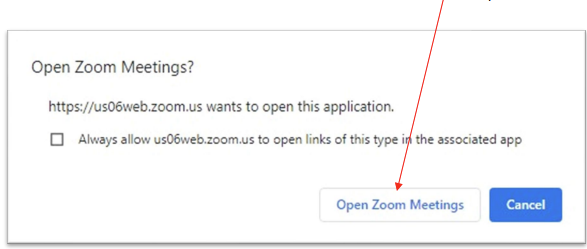
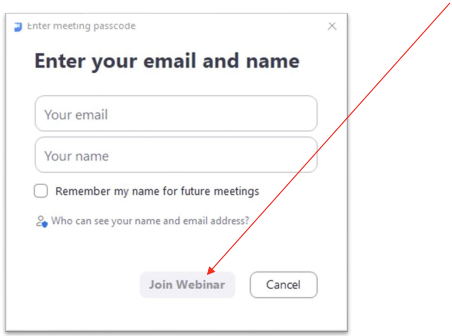
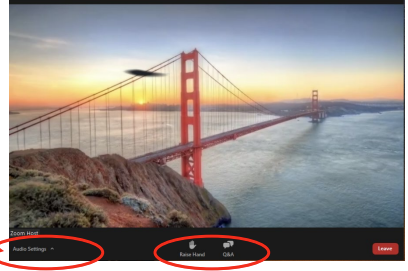
When you enter the meeting, you will be able to watch the proceedings, but no one can see or hear you until the host sends you a message to promote you to panelist. You will have limited options at this point in the hearing.
If you cannot hear the Zoom Host speaking, you may need to adjust your audio settings.
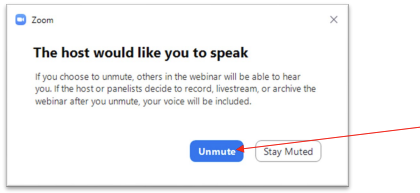
The host may ask you to unmute your audio, to verify who you are and which case you are there for. Click Unmute.
When it is time for your case to be heard, the Court will promote you to be a panelist. Panelists can participate in the meeting.
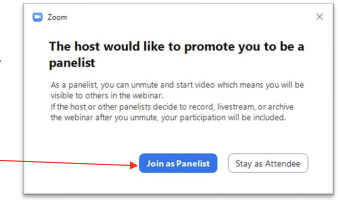
When you click Join as Panelist, wait until the judge calls your case to turn on your video and unmute your audio so they can see and hear you.
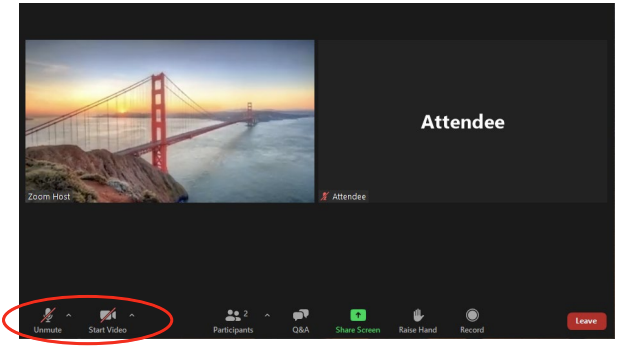
The judge will now address you and any other parties involved in your case.
When your case is done being heard by the judge and you are ready to exit Zoom:
For additional help regarding how to participate in a Zoom hearing, contact the Law Library: 775-328-3250 or LawLibrary@washoecourts.us.